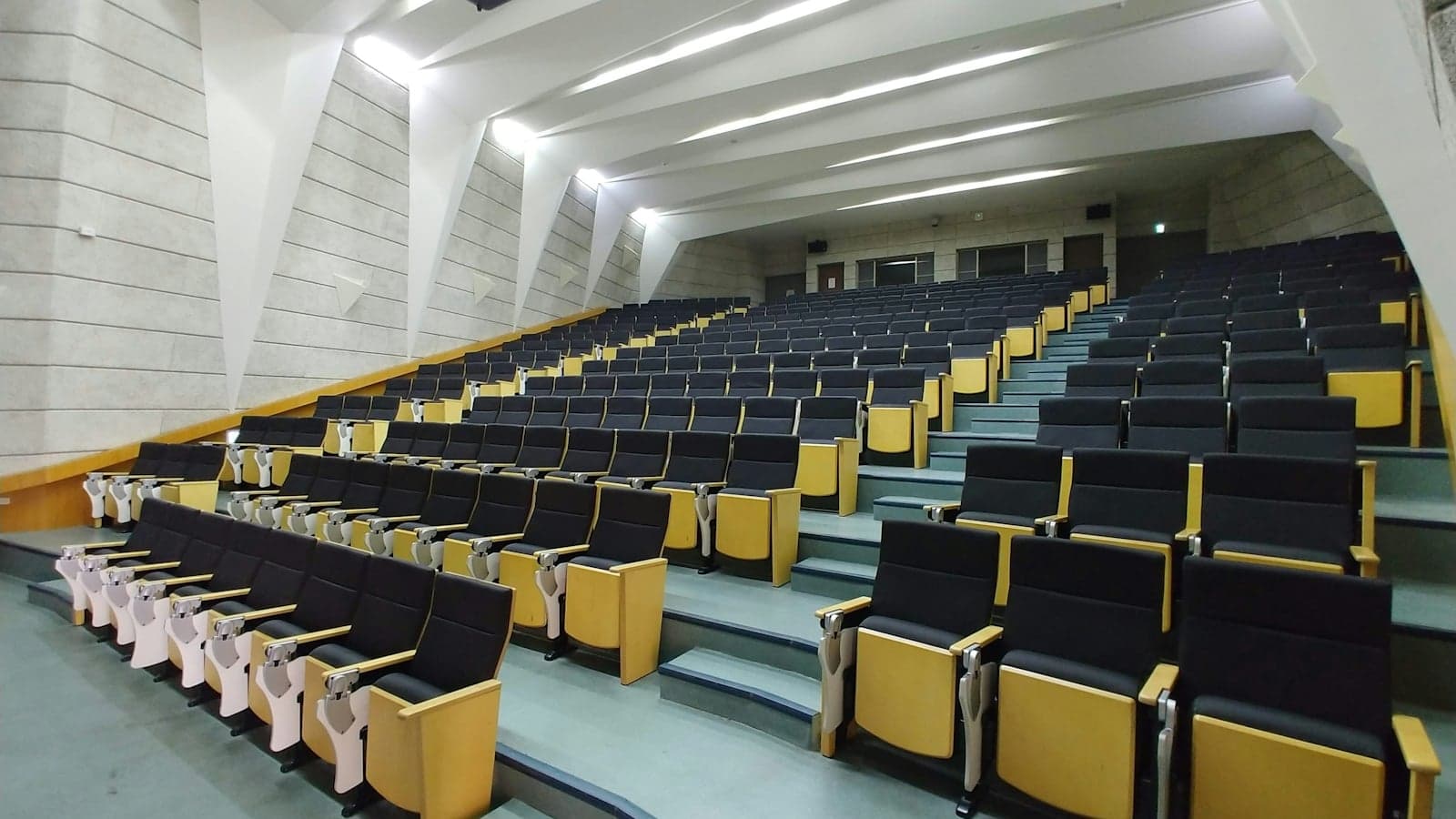
Short answer first: four of the eight record every lecture given in an equipped room unless a lecturer wins an exemption. The University of Auckland does it through Panopto into Canvas, Canterbury through Echo360 into AKO | LEARN, Otago through Otago Capture, which runs Echo360, and Victoria University of Wellington through VStream or Zoom into Nuku. Massey says learning experiences are regularly recorded, watched in Stream. Lincoln uses Panopto with no published default; AUT publishes neither a system for lectures nor a default. Waikato's pages need a login. Recordings stay from the end of the next teaching term at Auckland to five years at Otago, and every policy forbids copying.
Where your university publishes no default, or the lecturer opts out, Notibo records the lecture on your laptop once you have permission and gives you a transcript and notes, with Pro free for 14 days, no card.
This article is about the recording the university makes. Whether you may make your own is a different question with different rules, covered in recording lectures in New Zealand. We read the lecture recording policy of every university that publishes one, the pages that name the systems, and the retention documents, and where a university publishes nothing we say so rather than guess.
Which system does your university use, and is recording the default?
The default is the thing that matters, because it decides whether a missed Tuesday lecture exists as a file by Wednesday. Four universities make it a rule, one makes it a practice, and three say nothing you can rely on. The systems are less varied than the rules: Panopto or Echo360 at every university that names a product, and Victoria's own VStream or Zoom.
| University | System and where recordings appear | Recording by default? | Where it says so |
|---|---|---|---|
| University of Auckland (Waipapa Taumata Rau) | Panopto, released through Canvas | Yes, automatic for teaching activities scheduled as lectures in recording-enabled spaces | Recording of Taught Content Policy, items 26 and 37 |
| AUT | Panopto appears as the video tool inside Canvas; no public page names a lecture recording system | Not published; the privacy statement says a lecture, workshop or tutorial may be recorded | Video assignment guide and student privacy statement |
| University of Waikato | Not verifiable; its student help pages on recordings redirect to a Moodle course behind the student login | Not published | None public |
| Massey University (Te Kunenga ki Pūrehuroa) | Recordings of classes watched in Stream, if available; the recording system is described on a staff intranet page | Framework says students are told learning experiences are regularly recorded | Guide to Stream and the recording framework |
| Victoria University of Wellington (Te Herenga Waka) | VStream or a course Zoom account, appearing in Nuku | Yes, staff must record all lectures in recording-enabled rooms or online unless exempt | Lecture Recording Policy, clause 4.1, and Teaching with video |
| University of Canterbury | Echo360, released on AKO | LEARN | Yes, all undergraduate and taught postgraduate lectures in rooms with recording facilities; taught postgraduate recording is switched off on request |
| Lincoln University | Panopto, viewed through Akoraka | Learn | Not published | Panopto page |
| University of Otago (Ōtākou Whakaihu Waka) | Otago Capture, using Echo360, in some Dunedin lecture theatres; released through the learning system | Yes, all lectures in rooms with pre-installed facilities, as standard practice | Recording of Lectures Policy and Digital Services recording lectures |
- The default is tied to the room, not the course. Auckland's policy defines automatic recording as the recording of lectures by default that are scheduled in a recording-enabled teaching space. Canterbury, Otago and Victoria use the same trigger. A lecture in an unequipped seminar room is recorded only if the lecturer chooses to.
- Otago's rule is new. Its policy was approved by Senate on 3 December 2025 and took effect on 20 February 2026, and says recording of lectures is expected while other teaching activities are not. Otago's own Digital Services page describes Otago Capture as a new system available in some Dunedin campus lecture theatres.
- Three universities leave you to ask. AUT's public pages name Panopto only as the video tool inside Canvas. Lincoln's Panopto page says students watch lecture recordings there but sets no default. Waikato's help pages on watching and downloading recordings redirect to a Moodle course that needs a login, so nothing about its practice can be checked from outside.
If you are at Auckland, Canterbury, Otago or Victoria, "will this lecture be recorded?" has a written answer, and the course outline or the course site must tell you when it does not. Elsewhere the answer lives with the lecturer, and the first week is the time to get it.
Who decides what gets recorded, and can a lecturer opt out?
Not by simply leaving the recorder off. Where recording is the default, the policy names who may grant an exemption and on what grounds, and it protects the recording from being trimmed in ways that punish absence. The grounds are strikingly similar across the four.
- Exemptions go up the chain. At Auckland the Associate Dean Learning and Teaching decides, with an appeal to the Pro Vice-Chancellor Education. At Canterbury exemption requests on the listed grounds go through Scheduling Services, and whole-course exemptions or any other ground to the Executive Dean or a delegate. At Otago the Head of Department decides and must review a standing exemption at least every three years. At Victoria the Dean or a delegate approves, and for other compelling reasons must consult the Deputy Vice-Chancellor (Academic) and the students' association.
- The grounds repeat. Copyright risk that cannot be managed, personal or confidential information in case studies, guest speakers who withhold permission, and teaching that does not suit recording, such as performance, studio and language classes at Canterbury. Victoria adds sensitive content that may trigger a trauma response and material that could affect a lecturer's safety, and says in a note that exemptions must not be used as a mechanism to encourage attendance.
- Editing is allowed, disadvantaging you is not. Auckland's policy says teachers must not limit or edit recordings in a way that disadvantages students who are not present. Canterbury's clause 1.6 forbids editing out test or examination information and tells students to raise a breach with the Head of Department or the Executive Dean. Otago and Victoria let lecturers pause or edit for copyright, privacy, quality or to remove breaks and discussions.
- You must be told. Auckland requires advice on recordings in the digital course outline and Canvas. Canterbury says staff should tell the class in the first lecture that lectures will be recorded unless notified otherwise, and note any whole-course exemption on AKO | LEARN. Otago says students should be informed before enrolling whether lectures are recorded. Victoria wants a whole-course exemption visible at the point of enrolment.
For you this means an unrecorded lecture in a recording-enabled room at one of these four is either an approved exemption you should have been told about, or a mistake. Otago and Victoria say that when a recording fails, the lecturer must provide equivalent material, and Auckland, Canterbury and Otago allow a recording from a previous offering to fill the gap in an emergency.
How long do recordings stay, and can you download them?
Long enough to revise from, not long enough to keep. The universities that publish a retention period set it in teaching terms, and the download question has one published yes. Read your own university's row before you plan a study break around a recording from semester one.
| University | Released | Available for | Deleted | Download |
|---|---|---|---|---|
| University of Auckland | Automatic recordings 24 hours after the class, weekends excluded; up to 72 hours if editing | Enrolled students, through Canvas | Stored until the end of the next corresponding teaching term | Not stated |
| Massey University | Not stated | Recordings of classes in Stream, if available | Not stated | Framework says students may access and download recordings for the courses they are enrolled in |
| Victoria University of Wellington | As soon as practicable after the lecture | Normally through to the end of the Assessment Period; at least two weeks where restricted for approved reasons | Archived under the Information and Records Management Policy | Not stated |
| University of Canterbury | Within 24 hours, by default as soon as processed | At least one week after the lecture, and from the start of study week to the end of the examination period; after that at the lecturer's discretion | Held for at most three years | Not stated |
| Lincoln University | Not stated | Students enrolled in the course, through the course folder | Course folders archived 21 months after last being viewed; archived videos deleted after six months | Not stated |
| University of Otago | As soon as practicable after the lecture, through the learning system | Continuous access until you lose access to the other material in the learning system | May be deleted once the paper has run again in full; no later than five years after it was offered | Not stated |
- Auckland's storage period is the shortest published. Item 52 of its policy says all recordings are stored until the end of the next corresponding teaching term following delivery of the course, so a semester one recording is gone after the next semester one. Otago's is the longest: its policy allows deletion once the paper has been offered again in full, and requires it within five years.
- Canterbury lets lecturers restrict, within limits. Clause 8.1 sets the minimum: within 24 hours, for at least a week, and from study week to the end of exams. Clause 8.2 lets a staff member reopen access for a student who was sick or enrolled late. Clause 8.7 caps any recording at three years.
- Lincoln measures from the last view. Its retention protocol archives a course folder's videos 21 months after any user last viewed them, and deletes archived videos six months later.
- Downloading is a Massey right and nobody else's. Massey's framework says students will be able to access and download recorded learning experiences for the courses they are enrolled in, and that they will destroy any recorded material they hold when the course ends. The other four policies say nothing about downloading and everything about not making a further copy.
When the recording fails
Canterbury's policy is blunt: there is no guarantee as to the quality of lecture recordings, lecturers are not responsible for issues beyond their control, and a recording may not be available because of technical or organisational issues. Otago and Victoria put a duty on the lecturer instead. Otago's says lecturers will make accommodations to provide equivalent material when a lecture is not recorded in error, and Victoria's clause 4.3 says the same. Auckland's allows a recording from a previous offering where the recording had a fault. Ask within the week, while the lecturer still has the slides open.
Who owns the recording, and what may you do with it?
The lecturer or the university owns it, and you may study from it. That is the whole of your entitlement under every policy, and the wording barely changes between Dunedin and Auckland. Otago's says the lecturer owns the copyright for instructional material they produce for the lecture. Canterbury's says recordings are the intellectual property of the staff member and the university holds a licence to use them in its courses. Auckland's says recordings are created by staff and the university has a licence to use them. Victoria's points to its Intellectual Property Policy.
- Personal study only, and not one copy more. Auckland's policy lists student responsibilities: use recordings for personal study only and do not share outside the class. Canterbury adds a statement to every recording saying you may not sell, alter, further reproduce or distribute any part of it, and its clause 7.3 extends the ban to screenshots and photos taken during a lecture. Otago's and Victoria's say a student may not sell, further reproduce or further distribute recordings.
- Sharing is misconduct, in writing. Otago's policy says misuse of lecture recordings will count as misconduct under the Student Conduct Statute or the Academic Statute. Victoria's refers a breach to the Student Conduct Statute and notes that sharing may also breach the Privacy Act 2020 or the Copyright Act. A link posted in a group chat reaches people who are not enrolled, which Auckland's policy warns teachers about and which is exactly the disclosure the rules forbid.
- You can see your own part. Otago's policy says any clearly identifiable participant in a recorded lecture is entitled to access the relevant part of it under principle 6 of the Privacy Act 2020, and gives a route to ask for restriction, editing or deletion where an identifiable student shows the recording would cause significant undue distress. How a privacy request works, and where the university's copy of the recording lives, is in student data privacy in New Zealand.
What is recorded, and what is not?
By default, the lecturer's microphone and whatever is on the screen. Not the room, not the row you sit in, and not the small classes. Canterbury's clause 5.3 says only the video screens and the audio through the microphone are captured unless room cameras are switched on, and that the preset camera positions minimise the students in shot. Victoria's clause 3.6 says recordings normally include only audio and the presentation screen capture and there is no requirement to visually record individuals. Otago Capture, on its Digital Services page, records the audio and screens of lectures.
- Students are told by a sign, and mostly kept out. Canterbury's lecture theatres carry the words "Please be aware that sound and/or video may be captured in this lecture theatre for teaching and learning purposes." Otago requires a sign in rooms with recording technology and says students who are not active participants will not normally be recorded except incidentally or where announced. Victoria's teaching guidance tells staff to inform students a recording is being made and to allow them to opt out of being captured.
- Guest speakers can say no. Canterbury requires visitors to be told their session is recorded, and where a visitor withholds permission no recording is made and students are informed. Otago says the contributions of non-University employees are not recorded and published without prior permission. Auckland treats guest lecturers as in scope unless they specifically withhold permission.
- Tutorials, labs and studios are outside the default at all four. Victoria's clause 3.8 says tutorials, laboratories, studio classes, field trips and workshops are not normally appropriate for recording. Canterbury's clause 1.2 says tutorials, workshops and laboratories without significant lecture segments do not need to be recorded. Otago's policy defines a lecture to exclude them, and Auckland's covers other teaching activities only if the teacher chooses to record them. What you write in those rooms is your only record, which is the subject of notes in lectures, tutorials, labs and placements.
Captions and transcripts
Auckland is the only one of the four to build captions into the policy. It treats captions as one of the three parts of a recording, says they are created by automated speech recognition software, and warns that they are prone to error, naming offensive terms produced by accident and te reo kupu misspelled by the software; a teacher may seek an exemption where captions are significantly inaccurate and correction is not feasible. Victoria's definition of a recording includes captioning and text transcripts without promising them. Canterbury's and Otago's policies do not mention captions or transcripts, so treat any you find as a convenience rather than an entitlement.
Does a recording replace going to the lecture?
Not according to anyone who makes them. Auckland's policy calls in-person lecture recordings a supplementary learning resource not intended to substitute for attendance, and in the same breath says that for students with timetable clashes or other impediments the recordings will form a primary learning resource. Canterbury's says face-to-face delivery is the primary method, that using recordings as the sole source of learning may negatively affect achievement and is actively discouraged, and that watching multiple lectures in quick succession is not recommended. Otago's says lectures are primarily delivered face to face where attendance is normally expected. Victoria's calls recordings supplementary and not a replacement for in-class learning.
Two things sit behind the uniform tone. The first is that the policies stop lecturers withholding recordings to force attendance, Victoria's in so many words, so the universities balance that by telling students the recording is not the course. The second is that the room offers what the file cannot: the question you ask, the tutorial sign-up sheet, the classmate who explains the diagram. Use the recording for the lecture you missed and the section you did not follow. Do not build a semester on it.
How do you study from a recording?
Otago's recording guidelines, approved by Senate in September 2022, are the only published student routine we found among the eight, and they are good. The rest of this section is those guidelines plus the timing rules above, in the order you would do them.
- Read the course outline in week one. Otago says it should tell you whether lectures are recorded, where to find them, when you can access them and how long they will be available. At Canterbury the same information belongs on AKO | LEARN; at Auckland in the digital course outline and Canvas.
- Watch a missed lecture within a week of release. Otago's guidelines set that as the default when the course outline gives no other timing, and Canterbury's minimum availability of one week after the lecture is the reason the deadline matters.
- Watch at normal speed and take notes as if you were in the room. Otago says so in terms, and adds that you can pause while you write, slow down for details, freeze a diagram and rewind the parts you did not follow. Fast-forward only through what you already know.
- Turn the notes into questions the same day. A recording tempts you to re-watch instead of recall; the test of whether you learned the lecture is whether you can answer questions about it with the video closed, which is the method in active recall.
- Bring the gap to a person. Otago's guidelines say to use the recording as the basis for asking your lecturer, tutor or classmates for help, and to watch sections with a study group. A question asked in the tutorial costs less than a third viewing.
The longer version of this routine, with the note-taking method that suits a paused video and the schedule for reviewing a semester of recordings before exams, is in how to study from recorded lectures.
Where Notibo fits
Not with the university's recording. Canterbury, Otago and Victoria forbid making a further copy or reproduction of it and Auckland forbids sharing it outside the class, and uploading a Panopto or Echo360 file to any transcription tool, this one included, makes a copy. Notibo's place is the live lecture you were allowed to record, on the terms in the article on recording lectures. It records on your computer, or takes an audio file you already made, and returns a transcript, structured notes and flashcards with spaced repetition. One recording can run up to two hours; long recordings are saved in smaller parts as they run and joined into one transcript. The audio is deleted from storage once the transcript and notes exist.
It also turns the lecturer's slides into study material: a PDF, PPTX or DOCX file uploaded at up to 50 MB comes back as notes and flashcards, which keeps you working from the material the lecturer gave you rather than from a copy of the recording. You get Pro free for 14 days, with 240 minutes of recording, and no card is asked for. After those 14 days the free plan gives 30 minutes of recording a month. Pro is 9.99 euro a month or 88.99 euro a year, with the local amount shown at checkout.