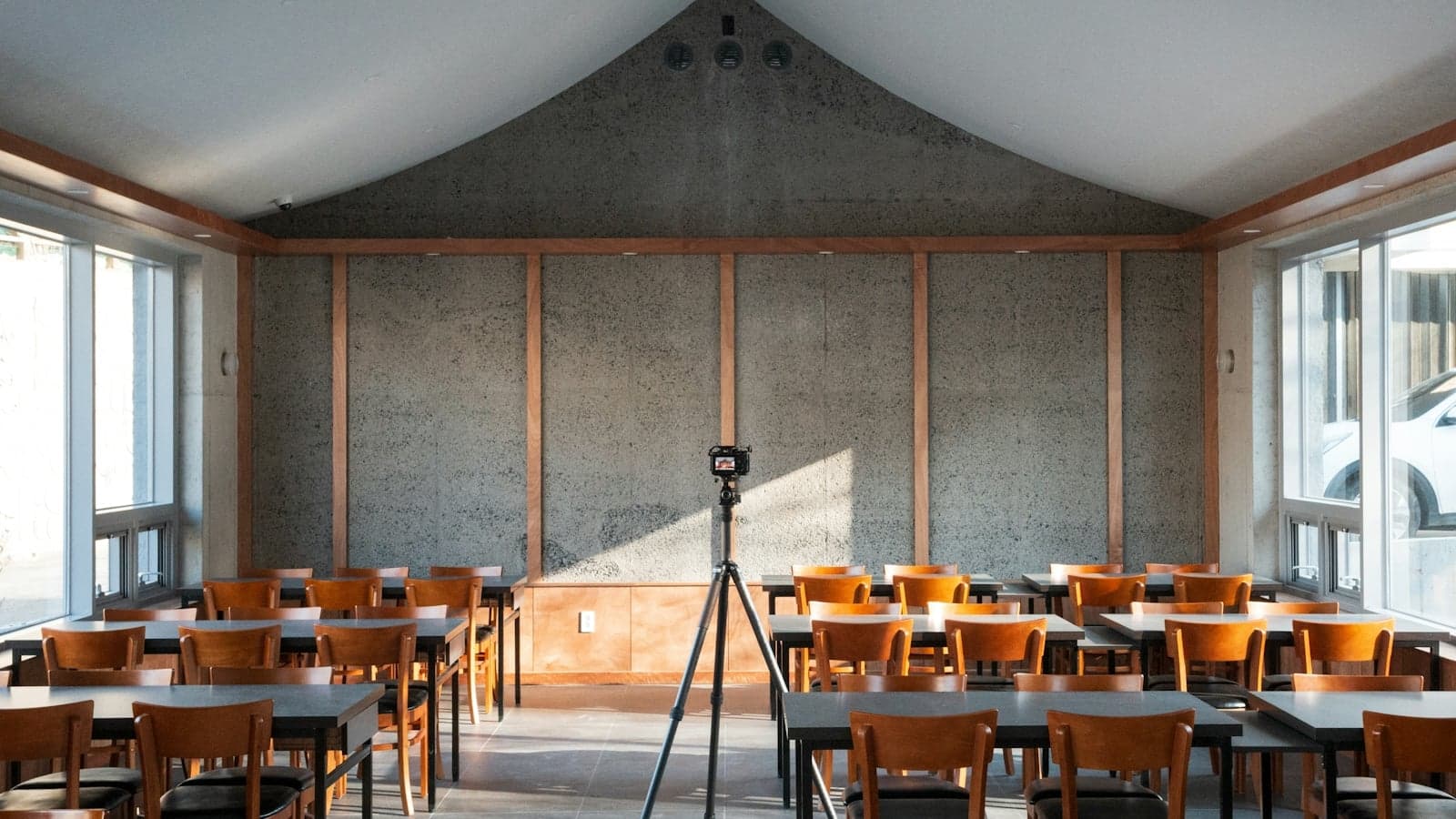
Short answer first: most Irish universities can record lectures, and almost none of them promise to. Trinity says the decision is voluntary and rests with the individual delivering the lecture, and UCC says it is at the discretion of the relevant staff member. Panopto is the common system, sitting inside Blackboard at Trinity, Canvas at UCC, Brightspace at Limerick and Moodle at Maynooth, while Galway runs Canvas Studio and DCU runs Loop. Recording coverage, caption quality and retention vary. Ask about tutorials and labs separately, and check important transcript wording.
For the classes the system misses, Notibo records from your laptop where institutional rules permit recording and external AI processing, and writes both the transcript and the notes, with Pro free for the first 14 days and no card needed.
Which system does your university run?
The software decides where you look, what you can do with a recording, and which rules apply to you.
- Trinity. Its Recording of Lectures Policy names Panopto as the current supported lecture capture software, and defines the virtual learning environment as Blackboard plus the technologies integrated with it, Panopto and Turnitin among them. Recordings turn up in the Panopto folder for the associated Blackboard module.
- UCC. Canvas is the virtual learning environment and Panopto is the video content management system behind it. The recording policy refers to the approved lecture capture software as Replay.
- University of Limerick. Panopto is integrated in Brightspace, with recordings viewable directly there and a Panopto app for iOS and Android.
- Maynooth. Panopto is the lecture capture system, reached through Moodle, with Microsoft Teams used for remote lectures. The linked FAQ is older platform guidance. Check your module page for the system and arrangements used this term.
Where the system is something else
Three of the big ones publish something else, which is why a classmate's instructions may make no sense on your screen.
- University of Galway. Canvas is the virtual learning environment, and CELT lists the supported suite as Canvas, Canvas Studio for video hosting, Teams or Zoom for live meetings, Turnitin, Vevox, H5P, Padlet and Hypothes.is. Panopto is not on it.
- DCU. Teaching runs through Loop, which pulls several learning technologies into one platform built on a heavily customised Moodle, and Zoom carries live online classes on a DCU licence that runs to 300 attendees.
- UCD. Brightspace, with its own recording setups on top. The College of Business runs a lecture capture system in named classrooms in the Quinn and Smurfit schools and hosts the recordings on a Ubicast media server. That is one college's page, so do not assume it covers modules outside the business school.
| University | Video system | Where you find it | Who decides to record |
|---|---|---|---|
| Trinity | Panopto | Blackboard | The individual lecturer, voluntarily |
| UCC | Panopto | Canvas | The relevant staff member, at their discretion |
| Limerick | Panopto | Brightspace | Not stated on the student IT page; you see the videos shared with you |
| Maynooth | Panopto, with Teams for remote classes | Moodle | The lecturer, and only in equipped teaching rooms |
| Galway | Canvas Studio | Canvas | Not stated on the CELT technologies page |
| DCU | Loop, with Zoom for live classes | Loop | Not stated on the Loop and Zoom pages |
| UCD College of Business | Ubicast media server | Brightspace | The lecturer; nothing is released unless the lecturer directs it |
Open one of your module pages now and see whether a recordings link exists at all. Then confirm the module's recording arrangements, whatever a classmate tells you about Panopto.
Will your lectures actually be recorded?
At every university here that publishes a rule, the lecturer decides.
Trinity's policy is direct about it. Recording is supported but not mandatory, and the decision to record a lecture or provide a lecture summary, and to make either available to students, is voluntary and rests with the individual delivering the lecture. UCC says the same in fewer words: the decision to record is at the discretion of the relevant staff member.
At UCD's College of Business the mechanism is visible. A lecturer books the service through a scheduler form, the system records the class automatically, builds a video with a transcription, and uploads it to that lecturer's personal channel. The lecturer then chooses to share it inside the Brightspace module. The college's policy page says recordings will not be initiated without the lecturer's prior consent, that under no circumstances are they made available automatically unless the lecturer explicitly directs it, and that the lecturer retains the right to make a recording unavailable at any time. Limerick's student page puts it from your side: you have access to any video shared with you. Nothing reaches you until somebody releases it.
Why a lecture is missing
Maynooth's student FAQ lists the ordinary reasons a recording link is not in Moodle.
- No live lecture has taken place yet.
- The lecture was not recorded.
- The lecturer has elected not to make the recording available.
Maynooth adds two more upstream. Panopto is only available in certain teaching rooms, and in a team-taught module one lecturer may record their lectures while another does not. Trinity notes the same technical limit from its side: it may not be possible to record where a lecture is moved to a venue that does not support recording. Rooms are equipped, not campuses.
Settle it in the first fortnight
- Open each module in your virtual learning environment and look for the first week's recording.
- If nothing has appeared by week two, ask the lecturer whether the module is being recorded at all.
- Ask separately about tutorials and labs. The answer is usually different.
- Build your note-taking around the answer you got, not the one you wanted.
What does the camera actually capture?
What is captured depends on the room and recording settings. Trinity defines a recording as capture of lecture content consisting, at a minimum, of the lecturer's spoken contribution to the class. UCD's College of Business describes its own kit as voice, screen and document camera combined with a camera feed of the lecturer in the room, and its policy page says the enabled classrooms are signposted and that the module coordinator must tell students they may inadvertently be recorded.
Student voices are often in there too. UCC's student data protection notice says its campus-wide lecture capture system lets lecturers record video, audio and presentation material from their lectures as well as audio of questions from students and attendees, and that the University will seek to give attendees advance notice by putting visible notices in the area and making an oral announcement at the start. Trinity's policy says students should be made aware at the outset of each session, and recommends that the lecturer offer another way to ask a question, such as a Q and A after the recording stops, email, or published office hours.
Three things routinely fall outside the file.
- Activities outside the lecture-recording policy. Trinity's policy explicitly puts laboratories, clinics, practical sessions and field trips outside its scope. Do not infer recording availability for a tutorial or lab from the lecture policy alone. Those sessions need a different kind of note.
- The room itself. Depending on camera and microphone coverage, whiteboard work or a student's question may be unclear or absent.
- The meaning. The recording is a copy of the hour. It is not a structure, a summary, or a list of what actually matters, and that gap is the whole reason a transcript and a set of notes are different things.
The practical version: write down by hand the two things the camera will miss, which are what went on the whiteboard and the answer to any question asked from the floor.
How good are the automatic captions?
Captions can support navigation and revision, but important names, numbers and technical terms need checking.
Trinity IT Services publishes the figure: Panopto's machine-generated captions reach approximately 85 to 95 percent, which may vary depending on the audio quality of the recording and the topics being presented. The same page warns that some medical or scientific terms may not transcribe as well as general English language commentary. It also tells you when to expect them, because Panopto starts adding machine captions after the recording is uploaded and that can take 8 to 24 hours. Captions are off by default in the player and you turn them on with the CC button.
The search is the genuinely useful part. Limerick points out that you can search any video for a specific word or phrase and go straight to it, and change the playback speed and quality while you are there. Maynooth's FAQ describes the wider version of the same thing, where a search runs across every recording available to you, as text or as spoken word, and shows you where the term appears in each one.
So use it like this:
- Search the recording for the term you did not get down in class.
- Jump to that point and listen at normal speed.
- Write the definition into your own notes, in your own words.
- Check any technical term against the slides or the reading, because that is exactly where the captions slip.
How long does the recording stay online?
Not as long as students assume, and the repeat season is what makes it matter.
- UCC. The recording policy recommends that recordings ordinarily be retained until supplemental examinations are completed. Behind that sits automatic housekeeping in the platform policy. Panopto content is archived 13 months after it was last viewed, and can be retrieved on request, while content not viewed for two years is deleted. Content owners can override these settings for individual videos or folders. Canvas modules go read-only at the end of the academic year and are kept for five years.
- Trinity. IT Services automatically delete all modules in the virtual learning environment older than five years, unless the course co-ordinator asks for them to be kept or removed sooner.
- UCD's College of Business. Its policy says lecture recordings should remain accessible on the VLE for the duration of the module, to help with revision and exam preparation, and that recordings of student group presentations made for assessment are kept for 13 months and then destroyed.
- Your own account. UCC students keep a Canvas login for 12 months after their registration ends, with read-only access to former modules, so the window closes on the account as well as on the content.
Now hold that against a repeat sitting in August, where you are going back to material delivered the previous autumn, in a module whose recordings may no longer be accessible for another reason, replaced by the next year's version, or pulled by a lecturer who has since moved on. Take your notes from a recording while the module is still live. A note you wrote is still there in August. A video link may not be.
Can your lecturer see that you watched it?
Yes. Viewing analytics can be available to teaching staff. Maynooth answers it directly in its FAQ: lecturers can see who accessed the recordings they have made, and how long they accessed them for, meaning whether the content was watched fully or only partly. UCD's College of Business tells its lecturers to review viewing statistics and analytics at the end of the teaching term, and its media server page lists analysing viewing statistics among the things the server does.
Access runs the other way too, and it is tied to your registration rather than to your curiosity. Maynooth says you only have access to live lectures for modules you are currently enrolled on, and to recordings for modules you are enrolled on now or were registered for before. UCC's policy says recordings linked with a module are to be viewed only by students registered for that module, and its platform policy explains the plumbing: access to integrated systems such as Panopto and Turnitin is generally controlled by access to the relevant module in Canvas, so when Canvas access is revoked, the downstream systems follow.
None of that is a reason to avoid the recordings. It is a reason not to treat viewing statistics as private, and a reason to plan around losing access at the end of a module rather than after it. If you want a copy of what was said, follow the applicable access, download and retention rules. Notes can also contain protected or personal material, so do not assume they may be shared freely.
Can you record the lecture yourself?
Not automatically, and this is where students get into real trouble.
Trinity's policy says lecture participants should not photograph or record sessions via personal devices, that sessions must be viewed via authorised channels only, and that unauthorised sharing or uploading of content from a recorded teaching session to third party sites or messaging apps breaches intellectual property and data protection law and will result in disciplinary action.
Maynooth is just as plain with students on the other end of it. Panopto recordings of its lectures and teaching sessions are for your personal use only, and you are not permitted to give them to anyone else, post them on a third party website or on social media, or distribute them.
Other universities publish a request route rather than a flat ban, and the shape is the same everywhere: ask in advance, in writing, and the answer belongs to the lecturer. The wording differs by university, and the rules on recording lectures in Ireland goes through them one at a time, along with the disability accommodation route, which is a different process with a different answer.
Does a recording count instead of going?
No, and Trinity says so twice in the same document. Its policy opens by stating that lecture recordings are intended as a learning aid and do not replace the requirement for in-person attendance, which is set out in the College Calendar. Further down it says Trinity is not a distance-education university, that in-person teaching is the primary form of instruction, and that all students unless otherwise excused are expected to meet the attendance and engagement requirements of their programme.
There is a telling line about notice, too. Trinity asks staff to tell students in advance when a lecture will be recorded, says the point of that is to help students with caring or other responsibilities plan, and then says it is not intended to encourage non-attendance.
What each university actually requires, monitors and does about missed weeks is its own subject, and attendance at Irish universities sets that out.
Why do you still need your own notes?
Take the best case. Every lecture in the module was recorded, every file is still there in April, and the captions are clean. The recording still does not do the work.
- Rewatching is passive. It fills an hour and produces very little you can retrieve under exam conditions. Active recall does, and you can practise it by pausing the video, attempting an explanation or question, and then checking.
- Volume beats you. Two lectures a week leaves a stack of files by December with nothing to say which ones matter. Notes are the compression step, then test what you can explain or apply without looking.
- The file is on a clock. Everything in the retention section above happens whether or not you got round to it.
So use lecture capture for the three things it is good at. Fill the gap from the week you had flu. Recheck the definition you did not get down. Search the transcript for the term the lecturer said would come up. Then go back to notes you can revise from, and check in the first fortnight whether your modules are recorded at all, rather than building a term around a file that may not be there when you need it.
Where Notibo fits
Where you have permission to record and use external AI processing, or you are recording your own revision out loud, Notibo turns that audio into a transcript, structured notes and flashcards on a spaced repetition schedule, and it handles 78 languages. It also takes a PDF, PPTX or DOCX file, so a slide deck can become the same set of notes and cards without any audio at all. Pro is free for the first 14 days, with 240 minutes of recording and no card. After the trial the free plan covers 30 minutes of recording a month, and Pro is 9.99 euro a month. Audio uploads are capped at 50 MB; document limits vary by format and plan, and a transcript can be exported as PDF or Word. Files are stored in the EU, while the transcription and the AI notes run on processors in the United States under standard contractual clauses. Check your own university's rules, and anything you signed with a disability service, before you record in a lecture theatre.